Connect AI apps
Connect Claude or ChatGPT to ByStep. Ask in plain words to see your routines, log a session or log a measurement.
Connect Claude or ChatGPT to your ByStep account. Then ask in plain words: "List my ByStep routines." or "Log my waist at 87.5 cm today."
The connector reads and writes three things only: your strength routines, your strength log and the body measurements you typed. It acts only when you ask.
What the connector does
- Lists your strength routines.
- Searches the exercise list.
- Creates and changes routines.
- Lists, adds, changes and deletes body measurements. It can add or change up to 20 in one call.
- Lists, logs and fills your strength sessions. It can log up to 14 sessions in one call, and add, change or delete the sets that it added.
- Tells the AI app which ByStep environment it reaches.
The connector has 19 tools.
The connector never sees Apple Health or Health Connect data. It cannot read workouts, steps, heart rate, points, challenges, friends or progress photos.
Before you start
You need a ByStep account with a verified email. The connector is on for every member.
Connect Claude
Works in Claude on the web and Claude Desktop. ByStep is an official connector in the Claude directory. Add it once on the web or desktop. The Claude mobile apps use the connectors that you add there.
Open ByStep in the Claude directory and sign in to Claude.
Or go to Customize › Connectors in Claude, click + next to Connectors, and search for ByStep.
Result: the ByStep connector page opens.
Click Connect. Sign in to ByStep if asked.
Result: the ByStep permission page opens. It names the app, the company and the data that the app can use.
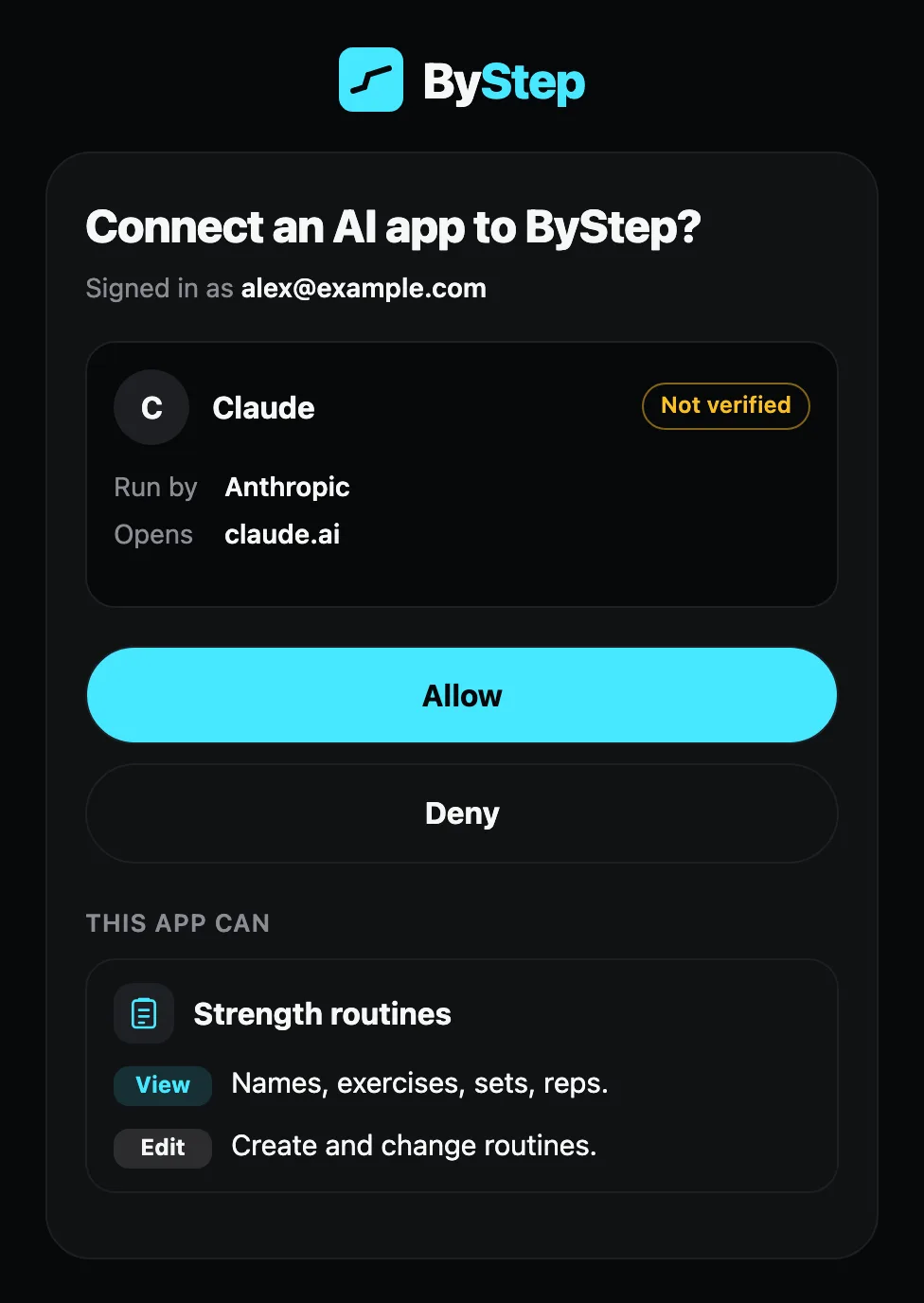
Read the permissions. Press Allow.
Result: Claude shows ByStep as connected in Customize › Connectors.
Open a new chat. Click + at the lower left, hover over Connectors and turn ByStep on. Skip this step if ByStep is already on.
Check it works. Send this prompt:
List my ByStep routines.Result: Claude asks to use ByStep, then lists your routines.
Tip
Claude shows "claude.ai" or "claude.com" on the ByStep permission page. If you see another name, press Deny and close.
Plans
Free, Pro, Max, Team and Enterprise can use web connectors from the directory. On Team and Enterprise, an Owner or Primary Owner first adds ByStep at Organization settings › Connectors (Browse connectors, then Add to your team). Each member then clicks Connect and signs in to ByStep. Members who cannot add connectors can click Request on the ByStep connector page.
Connect ChatGPT
ChatGPT calls connectors "plugins". You add ByStep as a custom MCP server. Use ChatGPT on the web.
Open chatgpt.com/plugins and sign in.
Click Add, then Add custom MCP server.
Result: the Add custom MCP server dialog opens.
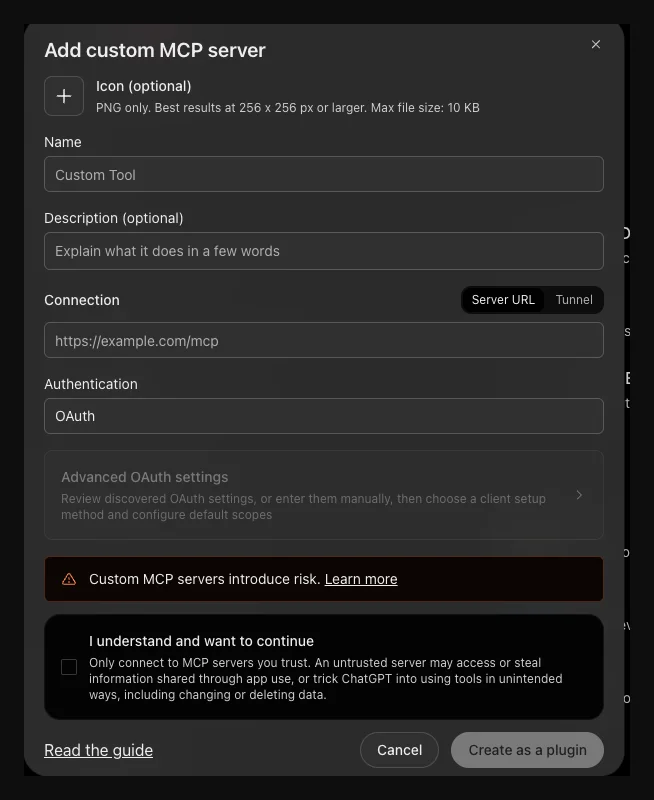
Optional: add the icon. Download the ByStep icon and upload it in the Icon field.
In Name, type:
ByStepIn Description, type:
Plan routines, log strength sessions and body measurements.Under Connection, keep Server URL. Paste this address in the field:
https://api.bystep.fit/mcpSet Authentication to OAuth. Leave Advanced OAuth settings as they are.
Tick I understand and want to continue. Click Create as a plugin.
Result: the ByStep sign-in opens.
Sign in to ByStep. Read the permissions. Press Allow. The permission page is the same as in the Claude steps.
Result: ChatGPT lists ByStep as a plugin.
Check it works. Open a new chat and send this prompt:
List my ByStep routines.Result: ChatGPT shows a ByStep tool call and lists your routines. ChatGPT asks for your approval before a write action.
Custom MCP servers introduce risk
ChatGPT shows this warning for every custom server. ByStep reads and writes only your routines, strength log and body measurements.
Plans
Plan rules for custom MCP servers in ChatGPT are not verified. If Add custom MCP server is missing, ask your workspace admin.
Connect Claude Code
Run this command in your terminal:
claude mcp add --transport http bystep https://api.bystep.fit/mcpAdd --scope user before the name to use ByStep in all your projects.
Start Claude Code. Type /mcp.
Select bystep and follow the browser steps to sign in.
Result: the same ByStep permission page opens.
Read the permissions. Press Allow.
Result: /mcp shows bystep as connected.
Check it works. Send this prompt:
List my ByStep routines.Tip
If the browser does not open, copy the sign-in URL and open it by hand. If the redirect fails, paste the full callback URL into the Claude Code prompt.
Try these prompts
Start with a read. Then write.
- "List my ByStep routines."
- "Search ByStep for a chest press exercise."
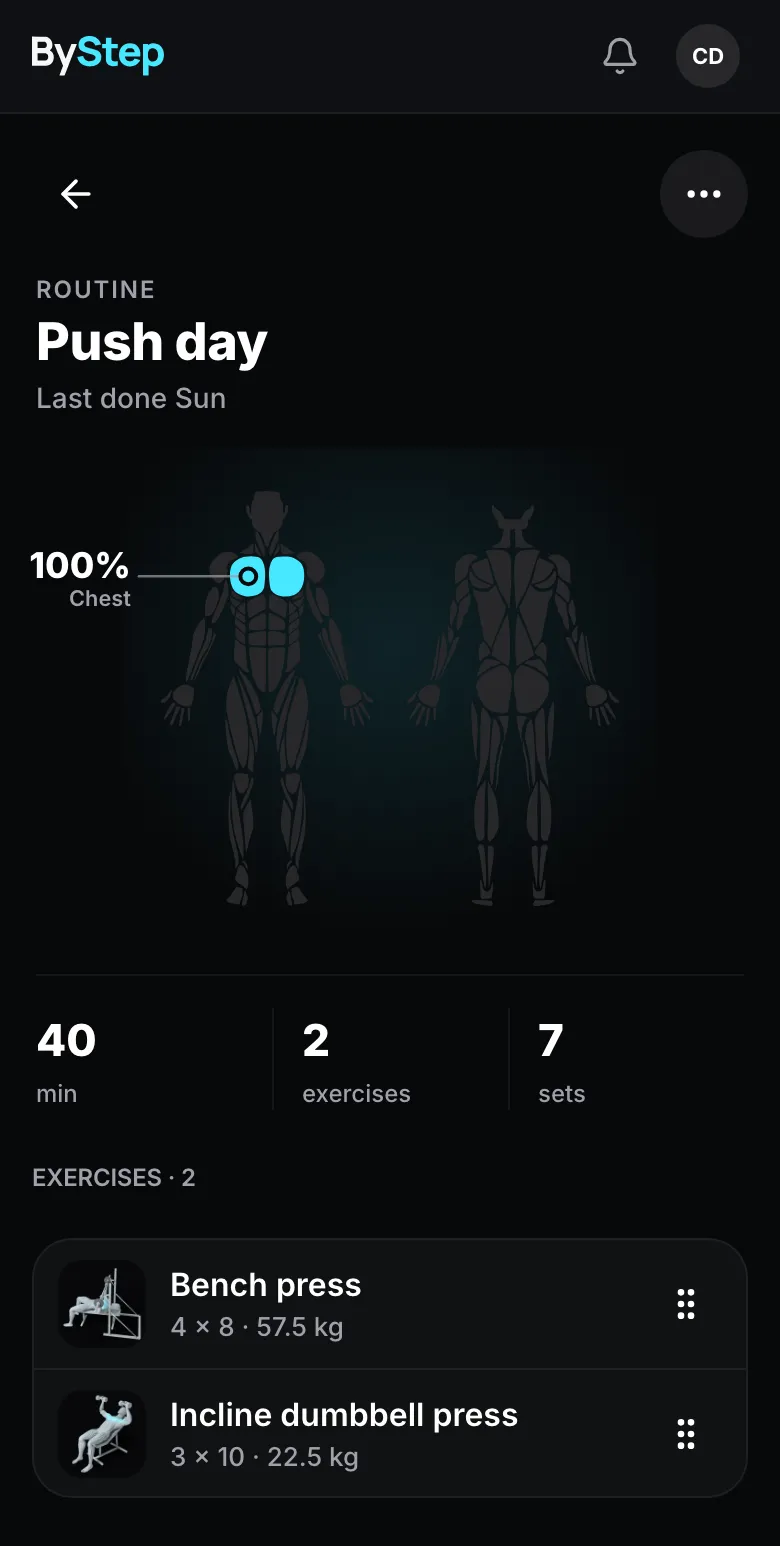
- "Create a ByStep routine called Push day with bench press, 3 sets of 8, and overhead press, 3 sets of 10."
- "Add a squat to my Leg day routine, 4 sets of 6."
- "Log my waist at 87.5 cm today."
- "Show my weight measurements since 1 September."
- "Change my last weight entry to 81.4 kg."
Tip
A new routine reaches your phone the next time the app opens or syncs.
Tip
Name the unit. Weight takes kg or lbs. Body sizes take cm or in.
What each permission means
The ByStep page lists permissions in plain words. Each one maps to a group of actions.
| Area | Permission text | What it allows |
|---|---|---|
| Strength routines | Names, exercises, sets, reps. | List routines and search exercises. |
| Strength routines | Create and change routines. | Create and edit routines. No tool deletes a routine. |
| Body measurements | Weight, body fat, body sizes, dates. | List the measurements you typed. |
| Body measurements | Add and change measurements. Delete measurements. | Add, edit and delete those entries. |
| Strength log | Dates, routines, exercises, sets, reps, weights, reps in reserve. Also the day, start time and length of strength workouts you typed by hand that have no sets yet. Nothing from Apple Health, Health Connect or a watch. | List sessions, read the history of an exercise and find gaps. |
| Strength log | Add sessions. No challenge points. Delete sessions it added. | Log sessions and add sets. Change or delete only the sessions and sets it added. |
The AI app can delete a measurement, and a session or set that it added. It cannot delete a routine or a workout. Ask it to show the entry first.
Fill sets for a recorded workout
Record the workout in your watch, in Strava, Fitbit or Oura, or type it in ByStep. Then ask the AI app to fill the sets.
Tell the AI app the day, the rough start time and the sets. Example: "I trained on Monday at 18:00 for 50 minutes. Log 3 sets of bench press at 60 kg for 8 reps."
Check the summary that the AI app shows. Say yes to save it.
The AI app cannot see the workouts of your watch or of other apps. It sees only the workouts that you typed in ByStep. ByStep adds the sets to the matching workout in the app. Sets that an AI app adds never change the points of a workout.
To add sets to a session that already exists, ask: "Add 2 sets of squat at 80 kg for 5 reps to my session from Monday."
Disconnect
Use either way. Access stops in both.
On bystep.fit, open Settings › Connected apps.
Press Disconnect next to the app.
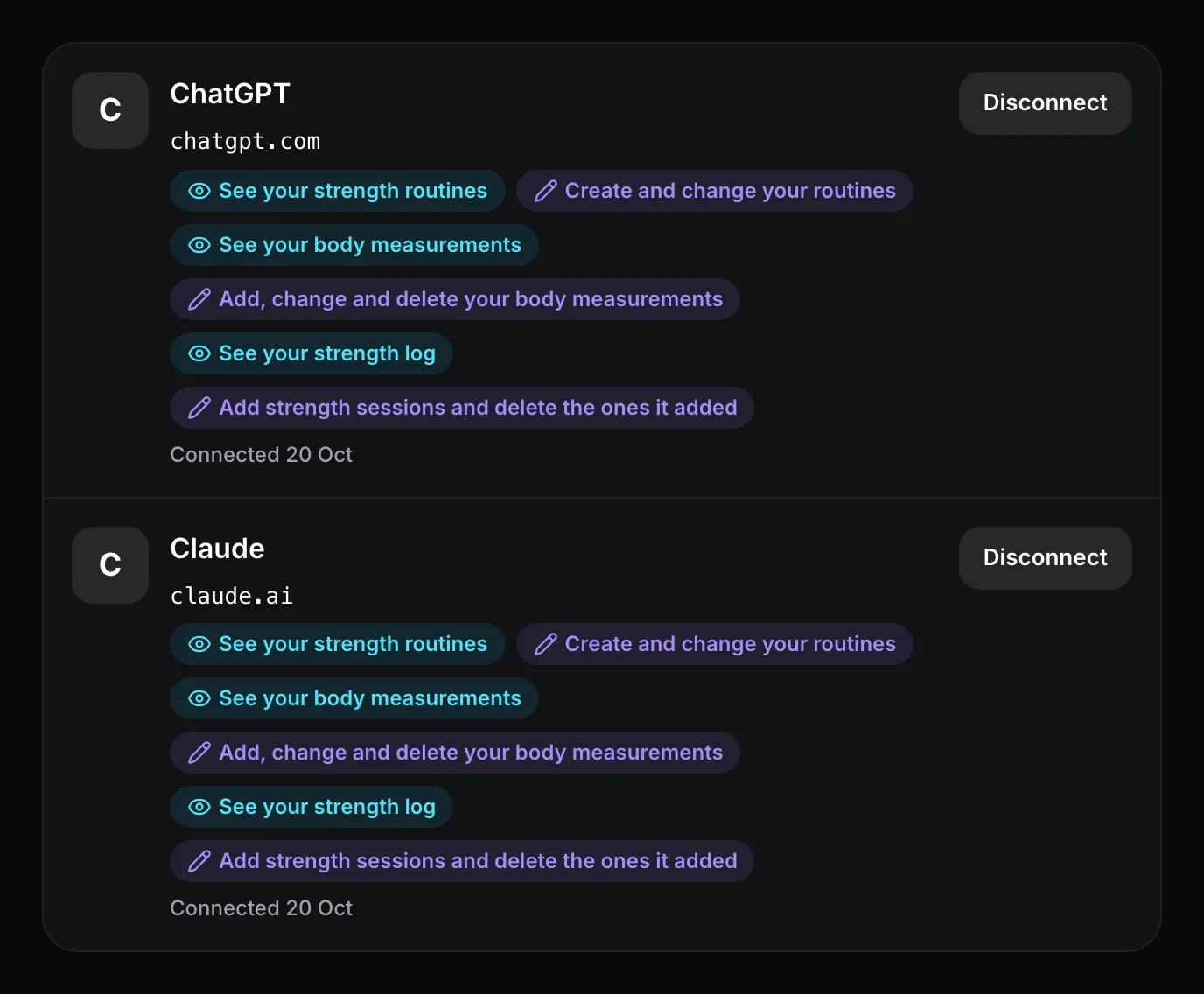
Or remove the connector in the app:
Go to Customize › Connectors, select ByStep and disconnect it.
Deleting your ByStep account removes every connection.
Troubleshooting
The app could not create its sign-in with ByStep. This happens when the app tried too many times, or when the app uses an address ByStep does not accept.
Wait 10 minutes. ByStep allows 5 attempts in 10 minutes from one network address.
If you added ByStep by URL, check the server address. It must be exactly https://api.bystep.fit/mcp.
Try again. If it fails again, contact us from Settings › Feedback with the time of the attempt.
Privacy
- ByStep sends the data you ask for to the company that runs the AI app, for example Anthropic or OpenAI. That company handles it under its own policy.
- ByStep cannot delete data the company already received.
- The connector never carries Apple Health or Health Connect data.
- You can disconnect at any time.
Read the full text in the ByStep privacy policy.
Last updated on